CET233 Software Enterprise Project Task and Submission

- Details
- Category: Level 2, Software Enterprice Project
- Published: Wednesday, 27 January 2021 14:13
- Hits: 796
Task
Sunderland University Project Brief
Saggezza - Mobile Expenses App
Jan 2019 v1.0
1. Company Overview
Saggezza is a technology services company that designs and develops software solutions for ambitious organizations from around the world that want to gain a competitive edge in their market. In the UK we have 50 employees which continues to grow and a presence in the US and India.
2. Project Brief
At Saggezza it is always important to provide the best possible service to the client and build a good working relationship and trust between the client and our project team. In order to do this there is often a requirement for our employees to travel and work on client sites.
Our team members can expense back travel, accommodation and meals and we would like this activity to be as simple as possible.
When on a client site employees often use client equipment which means their consistent link to Saggezza is through their mobile phones. With this in mind we are looking to develop a mobile application through which employees can submit expense reports and soft copy receipts.
3. Technical Requirements
|
# |
Requirement |
|
1 |
The application will need to have the capability to be deployed on multiple platforms. |
|
2 |
|
4. Business Requirements
|
# |
Requirements |
|
1 |
There needs to be a home page/welcome page for the application |
|
2 |
There needs to be a guidance notes page (see appendix 3) |
|
3 |
User should be able to create a template with standard information saved (see appendix 1) |
|
4 |
User should be able to select options from drop down menus which are editable by the administrator (see appendix 2) |
|
5 |
User should be able to select images and emails from their mobile to submit with the expense report |
|
6 |
Completed expense report and supporting document should then be sent to the user’s manager for approval |
|
7 |
User’s manager should then be able to view and click approve button |
|
8 |
Once approved the expense report should be directed to the payroll contact for payment. |
|
9 |
It should be possible for the administrator /payroll manager to issue reminder messages via the app e.g. reminder of payroll deadline |
|
10 |
Expense reports should be dated and archived so as not to be overwritten or lose history so there is an audit trail. |
|
11 |
Additonal: Google integration would be a bonus so employees dont have to follow separate log-in procedure and as a new google account is created for a new employee they will automatically have an account on the expenses app |
Appendix
- Expense report content:
- Options should be given for the following and be editable by the administrator:
2.1 Receipt: Yes - Soft Copy
Yes - Hard Copy
No - No Receipt
2.2 Category:

2.3 Client Name or Saggezza?
Saggezza UK
Saggezza US
Client….(to be edited by administrator)
2.4 Client Project
(to be edited by administrator)
2.5
|
Billable to Client? |
|
Yes |
|
No |
2.6
|
Payment Method |
|
Own Payment |
|
Corporate Card |
Guidance Notes
|
Approach to Expenses |
|
|
Within the UK we work on the basis of the team using good judgment on what is a reasonable expense for business purposes and seeking to minimize all expense costs where possible. As we continue with this approach please remember to key points: All expenses must be claimed within 30 days of the expense date. This timeframe for obtaining reimbursement is so we can ensure expenses are claimed on a regular basis. All new expenses must be approved prior to purchase. When you submit your monthly claim please attach related approval emails. Expense claims without an approval record won't be reimbursed. For full guidance please read the Travel & Expenses Policy & Procedure available on our intranet. |
|
|
Submission & Approval |
|
|
Employees |
Please submit this form on or before the cut off date advised. Submit claim form to the Project Manager, along with soft or hard copies of all receipts and a record of pre-approval for new expenses. Project Managers are required to check all expenses listed and confirm approval. |
|
Project & Reporting Managers |
Project and Reporting Managers are responsible for checking all expense claims submitted, approving if acceptable and highlighting all non-approved expenses within 24 hours of receipt. Failure to do so will result in the employee’s expenses not being reimbursed. |
|
Column Purpose |
|
|
Date |
Date expense was incurred - should match receipt |
|
Receipt |
Y or N (please submit all receipts scanned via email) In accordance with HMRC rules, all expense claims should be accompanied by a VAT receipt or invoice. In the rare event that you do not have a receipt, re-imbursement will be given consideration on a case-by-case basis. |
|
Description |
Please enter a short description of the item in the “Description” column. Where the expense is being claimed for more than one person i.e. shared taxi, car share, meal please list all those included. In the instance of a group purchase, the purchase should be made and expensed by the most senior person in the group where possible. Where mileage is being claimed the start location, end location and total mileage travelled must be included. |
|
Category |
Select from dropdown. See important note below re: Staff Entertaining v Subsistence. Where travel is for a project or a general business purpose it would fall within the group of 'General Travel' categories. The 'Sales Travel' category is only for activities undertaken specifically for the purpose of client sales. |
|
Client Name or Saggezza |
Enter client name if expense is incurred on behalf of a client / project (select from drop down). |
|
Client Project |
Enter the name of the client project that the expense should be allocated to. |
|
Billable to Client? |
Y = to be charged back to the client. N= not to be charge to the client. N/A = not a client / customer cost - if you don't know or are unsure please leave blank |
|
Payment Method |
Enter 'Own Payment' if paid by own means. Enter 'Corporate Card' if paid for on a company credit card |
|
Important Category Notes: |
|
|
Staff Entertaining |
If you have an expense you’ve categorized as Staff Entertaining this should be when you’ve taken member/s of the team out for drinks / fun which has no business purposes beyond mutual relaxation. Such expenses must have documented pre-approval from a manager. |
|
Subsistence |
If any business issues or topics are being discussed (whether it be in a pub, office, restaurant, team work breakfast), then any refreshments or food would count as Subsistence. |
|
Other |
Avoid use where possible and only use by exception if no other category applies |
|
|
|
|
Mileage |
Mileage may be claimed at 0.45p per mile up to 10,000 miles. In the description box please put destination start, destination end, purpose of journey, miles, mileage rate. |
CET233 - SOFTWAREENTERPRISEPROJECT
Assignment - Submission Instructions
Your team is required to provide a response to the ‘Client Brief’issued by your client, and other associated tasks as detailed on the pages which follow. Approximate hand-in deadlines are on the module schedule. Exact timings/arrangements will be announced on Canvas. Note that NO extensions to deadlines will be permitted - i.e. late submission of any section will result in it being ignored for assessment purposes. If there are extenuating circumstances which affect your ability to work to these deadlines, please speak to your project tutor or the module leader.
PART A–PLANNINGGROUPSUBMISSION - worth 30% of module
- Standard A4 ring binder which should be:
- clearly labelled / titled with team number and company name
- sectioned in sequence, with each section clearly titled
- Note: Please do not use plastic sleeves in yout file – tutors will need to annotate your work
|
A1 |
Initial design documents |
5 Marks |
|
A2 |
Report on group roles, rules and group registration form |
3 Marks |
|
A3 |
Evidence of interraction with clients |
3 Marks |
|
A4 |
Group meeting minutes |
3 Marks |
|
A5 |
Initial project plan |
3 Marks |
|
A6 |
Initial marketing strategy/website design prototypes/storyboards |
3 Marks |
|
A7 |
Presentation of initial solution ideas/prototypes to client |
10 Marks |
|
|
Total: |
30 Marks |
PART B–FINALGROUPSUBMISSION - worth 60% of module
- Standard A4 ring binder which should be:
- clearly labelled / titled with team number and company name
- sectioned in sequence, with each section clearly titled
- Note: Please do not use plastic sleeves in yout file – tutors will need to annotate your work
|
B1 |
High level design documents |
5 Marks |
|
B2 |
Promotional website |
10 Marks |
|
B3 |
Report evaluating client interractions |
5 Marks |
|
B4 |
Self and Peer Assessment Sheets - with attached yellow/red cards |
5 Marks |
|
B5 |
Prototype System – including presentation and demonstration to client |
25 Marks |
|
B6 |
Team Poster |
10 Marks |
|
|
Total: |
60 Marks |
PART C – INDIVIDUAL SUBMISSION - worth 10% of module
|
C1 |
Individual reflection and evaluation |
10 Marks |
|
|
Total: |
10 Marks |
PART-A PLANNING GROUPSUBMISSION
Task A1:Initial design documents
In order to clarify requirements for your project and inkeeping with professional software engineering standards, your team is required to produce documentation to support requirements gathering and planning for your application. This must include:
- A comprehensive list of functional and non functional requirements for your system
- Evidence of user requirements analysis (e.g. PACT/Heuristic Analysis)
- Evidence of system requirements analysis (e.g. Structured Flowcharts)
Hand in instructions
Documentary evidence of initial system planning and design.
Task A2: Report on group roles, rules and group registration form
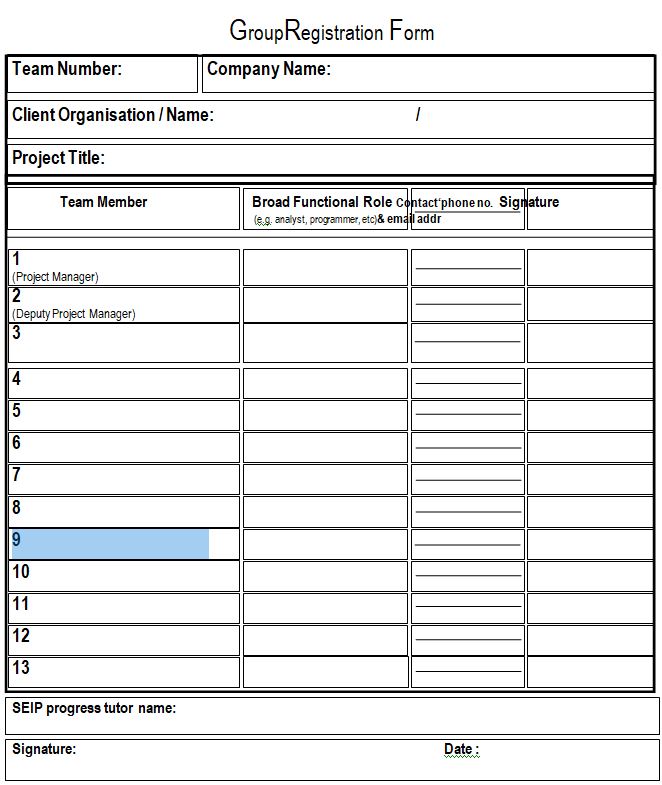
A short report, which outlines your group roles and responsibilities, drawing on the presentation you created/discussed during the module. You should discuss how your individual skills audits/CVs were used to support your group role allocations. You should also articulate your group rules and discuss how these were agreed. As well as the report, you should include a completed group registration form, which you will find near the end of this document, and a copy of your groups agreed rules.
Hand in instructions
A report on your group roles (indicative word count for this report is 750 words).
Documentary evidence supporting you report (e.g. skills audits/CV/Presentations)
Task A3:Evidence of Interraction with clients
Whenever you interract with clients, formal and informal records will be generated to document discussion points, agreed changes to specifiction, clarification of requirements etc. All of this documentation should be collated and saved as supporting evidence of project planning and progress.
Hand in instructions
All meeting notes, emails and documentation of client interaction to date.
Task A4:Group meeting minutes
Minutes of all group meetings to date, which should contain the following information:
- Who attended the meeting and days activities
- A breakdown of each persons achieved activity for the week
- A breakdown of each persons planned activity for the week ahead
- Project progress this week
- Issues encountered and planned response
Hand in instructions
All group meeting minutes and notes.
Task A5:Initial Project Plan
A draft copy of your initial over archinggroup project plan, including individualised plans to meet allocated project responsibilities. These can be created using Microsoft Project or in Microsoft Excell. As with all planning documentation, these should be seen as working documents and as such, will be subject to change throughout the lifecycle of the project. Your initial plans should include timelines and responsibilities for each part of your project and module deliverables.
Hand in instructions
Your initial group project plan and individualised plans
Task A6: Initial Marketing Strategy
A draft copyof your initial marketing strategy for your business, including initial webside ideas/design prototypes.
Hand in instructions
Your initial plans to market your software company with ‘zerobudget’
Website ideas/ design prototypes
Corporate identity aretefacts (Company logo, mission statements etc.)
Task A7:Presentation of initial solution ideas/prototypes to client
Your team is required to plan, prepare and run a formal presentation to your client, whichincludes a demonstration of a prototype element of your proposed system. The whole session should last a maximum of 20 minutes, including the opportunity to ask questions. Every team member should be present, with each prepared to answer questions and engage with the session in whatever way is felt appropriate. You will be assessed on how well this is planned and presented to your client.The session must have a properly drafted plan, together with written notes / PowerPoint slides / handouts as thought appropriate.These, along with a copy of your prototype program along with any instructions for its proper execution should be submitted.
Hand in instructions
Your plan for the prototype demonstration and presentation, including individual responsibility chart for these activities.
A copy of your presentation, with notes
A copy of your prototype application with any instructions needed for its operation.
PART- BFINAL GROUP SUBMISSION
Task B1:High level design documents
In order to clarify requirements for your project and inkeeping with professional software engineering standards, your team is required to produce documentation to support requirements gathering, development and testing for your application. This section should build on your initial hand in (A1) and must include:
- Evidence of user design and development (e.g. Use Cases, User Stories)
- Evidence of system design and development (e.g. Structured Flowcharts, ERD’s, UML Diagrams, Testing Plans)
- User guides for your system
- Discussion of changes made to your system in light of client feedback if appropriate
Hand in instructions
Documentary evidence of system planning, design and operation.
Task B2:Promotional website
Your team are required to develop a website to advertise and promote your business. Your site should incorporate your company’s corporate identity (logo, mission statement etc.) and provide suitable information to advertise the skills and services you can provide for prospective clients.
Hand in instructions
You will need to submit a copy of your websites URL and an electronic copy of your website files in a ZIP file.
Any updated design documentation used in the creation of your site
Your finalised ‘zero budget’ marketing plan
Task B3:Report evaluating client interractions
In week 2 you were asked to email your clients to introduce yourselves. In week 4 your team was required to conduct a consultancy session with the client, evaluate how it went, and discuss the findings. The purpose of the session was to seek advice and clarify any relevant points arising out of the initial project brief.You have had the opportunity to interact with your clients throughout the lifecycle of your project. You should now produce a report evaluation all of your interaction with the client, this should:
- discuss the best and worst aspects of the consultancy session, and other client interractions
- make recommendations as to how communication could have been improved
- include an appendix detailing all of your client interaction presentation plans, meeting minutes and emails etc.
Hand in instructions
A report which evaluates your client interactions (indicative word count for this report is 750 words).
Documentary evidence of all client interractions
Task B4:Self and Peer Assessment Sheets - with attached yellow/red cards
Your team is required to carry out a rigorous self and peer assessment exercise, to determine the distribution of team marks around the members. To do so, as near to the hand-in time for both group assignments as possible, your team is required to do the following:
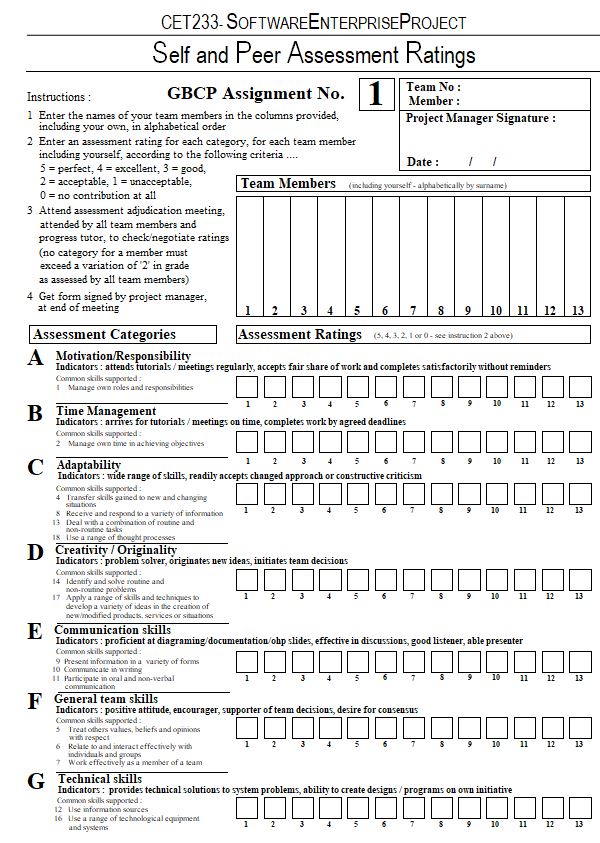
- Each team member to be given a copy of the assignment 1 ‘Self and Peer Assessment Ratings’ sheet, which you will find near the end of this document. Noting the instructions on it, all sheets to be completed then checked/adjusted at the adjudication meeting.
- Each team must download a copy of the self/peer assessment spreadsheet from CANVAS. The team project manager or someone appointed by him/her carries out the following steps.
- Open the file in Excel
- Enter the team letter and number in cell K1
- Enter the team's company name in cell E2
- Enter the hand-in date in cells E4 to G4 as DD MM YY.
- Enter the team members’ names (in alphabetical order of surname) in cells B6 to N6, depending on the number of members in the team (if there are only ten members then use cells B6 to K6). These names need to be copied in the same order for each member tab in the spreadsheet.
- Save the file.
- Following the adjudication meeting, the content of each self/peer assessment sheet is entered into the appropriate file created in step 2 by doing the following ...
- Take the sheet completed by team member 1 (alphabetic order of surname, column 1 on the self/peer assessment sheet), and Enter the member's name from the sheet into cell E3
- Enter the scores from the grid on the sheet in the corresponding cells in the spreadsheet.
- Save the file
- Repeat steps 1 to 4 for member 2's sheet and so on until all forms have been entered.
- Attach any red and/or yellow cards issued during the assignment (note: yellows even if revoked - these will be ignored for assessment purposes), to the relevant self/peer assessment sheets.
- Develop a one page matrix style report which clearly identifies the team members participation in each of the tasks of both group assignments, and gives a brief but clear statement as to the contribution of each.
Hand in instructions
Create a section in your ring binder and place all printed outpts of the above exercises in this section.
Task B5:Prototype System – including presentation and demonstration to client
Your team is required to plan, prepare and run a formal presentation to your client, which includes a demonstration of your finalapplication or system. The whole session should last a maximum of 20 minutes, including the opportunity to ask questions. Every team member should be present, with each prepared to answer questions and engage with the session in whatever way is felt appropriate. The session must have a properly drafted plan, together with written notes / PowerPoint slides / handouts as thought appropriate.These, along with a copy of your application/system along with any instructions for its proper execution should be submitted.
Hand in instructions
Your plan for the system/application demonstration and presentation, including individual responsibility chart for these activities.
A copy of your presentation, with notes
A copy of your final application with any instructions needed for its operation.
Task B6:Team Poster
Each team must produce a poster that captures their group project and team working experience. You are expected to portray the team working activities that you have been involved in, along with the product/system that you have developed for your clients. You will be assessed on how well this is planned and presented to your client.
For example:
- Demonstrate what you have done and achieved (the whole group process), explaining the different elements involved such as planning, system development, team working etc.
- The final product or system will be the main focus
As a group you will use the poster to communicate your group project experiences to the assessors and other visitors present at the showcase. It’s an opportunity to sell your group - how you have worked well as a team to produce the final deliverable for your clients.
The poster will be assessed at the showcase event by people external to the module. All team members must be present at the poster showcase event. Failure to do so without acceptable mitigation will result in that person receiving zero marks for the poster presentation along with a yellow card for the group assessment.
Your poster needs to be designed to the following dimensions:
- Size: (A1 image size) Dimensions 841 x 594 mm (33.1 x 23.4 ins)
- Posters being printed by the department of computing must be saved as a pdf file and should not have a solid all black background, ( if you wish to have this you it will be best to get this printed elsewhere).
- Portrait orientation– (best for the display boards)
Hand in instructions
Submit a copy of your poster via email to This email address is being protected from spambots. You need JavaScript enabled to view it.ready for printingDate to be Confirmed. The poster will be printed by the Faculty of Computer Science. Arrangements and dates for teams to check their final printed poster prior to the poster day event will be confirmed at the time of submission. Teams are free to get their posters printed themselves at their own expense.
PART- CINDIVIDUAL SUBMISSION
Task C1:Individual reflection and evaluation
You have now had the chance to work in a team to respond to a client brief and establish a small software company. You have followed professional practice guidelines and drawn upon your own expertise to contribute to the success, or otherwise, of this venture. Your final task is to reflect and evaluate your own, and your teams performance. You should prepare a report which evaluates the planning, development and final outcome of your project. You should discuss what you thought went well and those areas that might have gone better. You should reflect upon the following, and any other issues that have framed your experience of the enterprise activity:
- How has academic theory, or practical advice from the sources you have used, informed and improved your performance?
- Were there any aspects of developing your application or contribution to the enterprise activities that involved you working in new ways or ways that you had not anticipated?
- An honest appraisal of your performance and the final outcomes of the enterprise activities.
Hand in instructions
A report, as outlined above(indicative word count for this report is 1200 words).
A link to your own ePortfolio in CANVAS
Submission
Part A
Part B
Part C
Individual reflection and evaluation
A CET233 – Software Enterprise project module. This module will help us to understand how software business works, how it is initiated, created, developed and adapts in a continually changing technological context. For the practical part of the module, we will work as a team to initiate, create and develop a software solution for a given client.
There were 6 of us in my group; my group were given the task of making an expenses application for the company Saggezza. As a team we each selected different people for different roles within the group to say what they will each be working on.
I would say that as a team we worked and started the project without any difficulties, with massive amounts of energy, enthusiasm and with a lot of great ideas. All of our team members took part and attended the weekly group meetings. We kept in contact on a daily basis through Discord, so that if anyone was struggling with a specific tasks that they were given they would be able to communicate with one of us or all of us for help. Everyone in my group is working on different areas within computing, so we all had different skills sets so we thought that this project would be a challenge for us technologically and communications and team work wise. Another important part of working on projects such as this is the paperwork, as well as good communication with the client so that we can ensure that they are getting what they are looking for or have asked for. So the first meeting with the client is very important in the view of this project. The very first meeting went well in my opinion, although we did forget to thank the client for attending and listening to us, in all of our excitement. From this we learnt that we should try to be more prepared and listen more to the client when going to meetings the next time.
So the designing and planning of the project did not cause any problems and neither did the team work and the knowledge and skills within the group didn’t either. Everyone worked equally on the project and completed the task assigned to us on time.
In the next section, we worked on creating a prototype. In order to present the client the mobile application imagined by us. Unfortunately, problems with team work did occur at this point in the project. The first problem was the programming language in which the program was written, as we couldn’t decide what language we should write it in. Since I am studying Web and Mobile Application Development, I have suggested that we use Java Script and Framework7 because the mobile application is easy to create using them. The two programmers from our group rejected it because they never used it and they would use a Python programming language and because they were the team programmers, so they were supported by other team members.
The next problem was that I suggested that we introduce a mobile prototype to the client because the project is a mobile application and I think we should keep this in mind. Unfortunately, this idea was not supported and my other groupmates decided to introduce the web page as they thought that it will make it easier to do the mobile application. Since this is teamwork, I have accepted my team's decision. The biggest problem was when one of the programmers removed all the programs that had been completed by accident, but never backed up the finished program and sent the finished program to the other programmer. This happened five days before the presentation. We learned from this that we always need to make a copy of the work because anything can happen to a computer or a laptop that can make valuable work and time. On Monday's group meeting I told them that we have two options now, that I made a prototype with the Figma application that only the pages are presented but that I can’t use it functionally or that luckily I made a mobile application program that can be used functionally and we can show it to the client. I asked them to decide what to do because our programmers are surely unable to put together a usable prototype because of the lack of time. My group decided to show the functionally working prototype I made. The timing of the presentation was a cause for concern as we thought we wouldn’t have time to tell the client everything we wanted to, but one of the team members remembered that we could solve this problem by creating a video of the prototype to show for the presentation. We all agreed on this together. Our presentation has been very successful in not going beyond the timeframe and avoiding the mistakes of the previous presentation.
Among my team's shortcomings would be the lack of honesty, since I made a prototype and after I showed everyone they praised me and I received positive feedback. A few weeks after the presentation I realised that the prototype that I created they didn’t like it as much as they said they did. Since our programmers designed the program we had completed so far, but made a completely different design which then made me realise that they weren’t being honest with me as the design didn’t match my prototype. Though I have never been told this and I assured my team that if they wanted to make any changes I would happily do it, as this was a teamwork project and we also have the client to keep in mind. The lesson I learned from this is that we must always be honest and not be afraid to explain to our fellow teammates why they do not like it and to suggest what to change, because this isn’t an individual project but a team project. There was a time when the team was beginning to break down under the 12-week project. We did not hold a meeting for one week after the second presentation and we did not share any assignment that I think may have negative effects as we endanger the timely completion of the project and correct the problems that arise during testing. With this, it can also cause tension within the team because, with the passing of the release time and the inadequate timing, we can make a lot of mistakes, which can cause more errors and affect the project negatively.
Nonetheless, my team had good teamwork and through communication, we have been able to solve the problems that have arisen so far because we are hanging on and paying attention to each other and respecting each other. We have learned a lot about solving problems that we do not have to solve individually but as a team. We also learned that we need to continuously improve our knowledge and be open to other programming languages, because computing techniques develop very quickly and requires continuous day-to-day knowledge and development.
I think what was most surprising to us was the time-consuming implementation of a small software company project and the importance of teamwork and planning, timing, analysis, design, data types, testing, evaluation, communication. Teamwork is also very important for any small company because if a team is not in tune, this will also affect the project and may also damage the company's reputation.
We can develop this by taking an active part in the presentations and developing ourselves outside the university classes and if we need help, we are not afraid to ask for help. Being involved in teamwork or speaking on a presentation all improves our knowledge and experience, which is very important for future jobs that we would like to work in.
I would evaluate myself as a very good team player because I respect my teammates and I tell my opinion so that I do not hurt anyone but I keep the client's and company's requests and interests in mind. The tasks that I am responsible for I always complete to the best of my abilities and on time. If I have a problem, I'll try first to see how I can solve the problem, but if I do not succeed then I am not afraid to seek advice or help from others, because the goal is the perfect execution of the task.
I have developed a lot professionally by taking part in college classes regularly and keeping my relationship with my teachers. The proof of this is that no one from my team was expecting me to make a prototype that would work functionally, but I was able to do this because I learned that it is not only important to attend the lessons but to also, implement my knowledge from the lessons to tasks outside of University. So I overcompensated by creating a working mobile program where I wasn't asked to do it, so I could develop professionally.
With this project and module I learned how to handle a time-consuming project, how to work with the team and keep in touch with the outside stakeholder, how to create, communicate and test the product, how to implement the project, how to progress the project your career and confidence.
We have reached the third stage, which is nothing but testing and demonstration of the finished mobile application. At our weekly meetings we discussed where we are in the project. 90% of our applications were ready. It was just testing and correcting errors. At this stage, I helped with the dogmatization and the testing of the program for our two programmers. There were only minor problems, such as writing a warning error message. Of course, all the errors that occurred were corrected after the testing, which took place without hindrance.
At this stage, my group and I have learned that it is very important to test the program multiple times as the user wants to use the application without hindrance. Therefore, errors in the program can be tested and any errors should be corrected so that the program can be used to test and eliminate any errors. Not only can the program be and should be checked, but all the other computation techniques required for the operation of the program can be, for example, a database, use on different devices and much more.
With the release deadline approaching, the poster, Individual reflection and evaluation, will focus on my grouping and presentation. What is going on smoothly in great agreement between my teammates.
We are all pleased with the program. So, my group and I have a good assessment because we have to learn and gained experience from this whole project, but we have developed a lot professionally which will be helpful in the future, both individually and in group work.
I hope that we will get a good evaluation of the presentation and the assessment of my group, which will have a positive impact on the future.
My Work withhin the Project:
Figma Web and Mobile Prototype
Use Case and Diagram
Saggezza prototype program in the first presentation
Laconics Team Poster
Reflection on time/project management evidence:
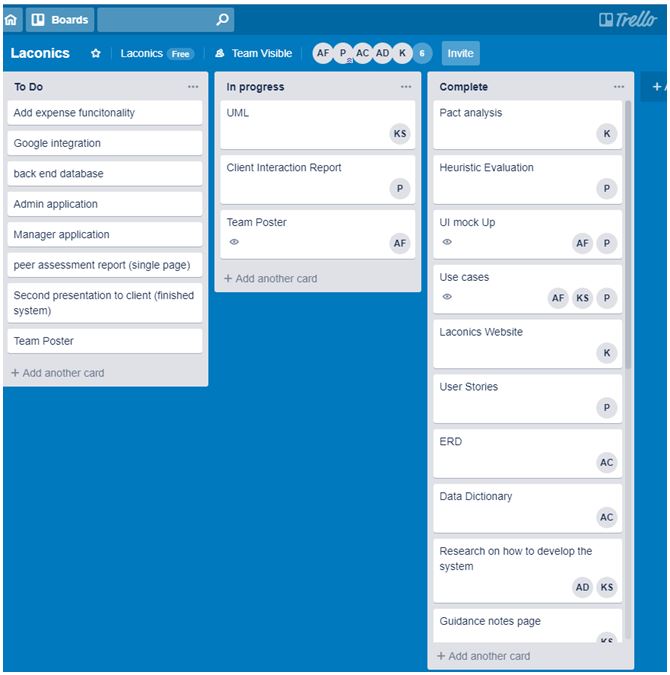
Professional approach to group work evidence:
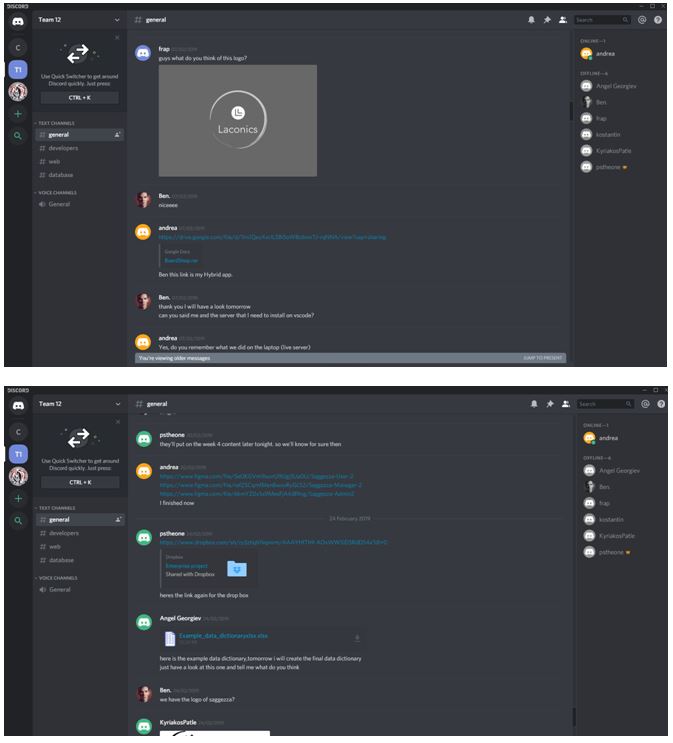
Personal/professional developments identified and evidenced:
what I would like to achieve:
To achieve what I want to achieve I develop my communication skills, in particular my English skills as my English is quite poor. I also need to develop my presentation skills a little further, for example how to do presentation and how to actually present presentations in front of different kinds of audiences. I will also need to develop my coding skills as I still have a lot to learn e.g. HTML, CSS, Java C#, JavaScript, UML, etc and so I can become more confident and comfortable with it. I will also need to develop my Technical skills, such as design, programming, testing and development as there is always something to improve or to expand on my knowledge on things. Interacting with my peers in groups tasks will help me improve not only my communication skills but my group work skills, which will come in handy once I actually have to go to work as I will have to work with other people in the future.
I would like to be able to expand on my coding language knowledge, outside of the ones I already know, so that I can provide a larger variety of coding skills to the employer. I would also like to provide my employer with a wide range of ideas and concept ideas. I would also like to expand on my design skills.
what I achieved:
Giving a presentation helped me become more confident in making presentation in front of a variety of people; it also helped me improve my English skills in the long run, which means I improved my verbal communication skills too. It also helped me in my chances of being hired if my communication skills are better. Improving my written communication skills helped me if I need to email anyone in the future, so that they can understand what I am asking for, it also helped with writing any reports or anything of the sort in the future. By interacting with peers in groups tasks I have been able to get a feel for how they work and how to communicate my opinions to other group’s members.
I have improved in coding (HTML, CSS, JavaScript,C#) which helped me further expand on my knowledge on coding and I become comfortable to the point where I can confidently use coding.
Team work also helped me in being able to work well with other people as I need to work with many people in the future, it also helped improve my communication skills, and with presenting to others. I also provided my team with a wide range of ideas and concept ideas and I also expanded on my UI design skills.